Sabaragamuwa University Faculty of Medicine – Divisible Smart Lecture Hall
Client: Faculty of Medicine, Sabaragamuwa University of Sri Lanka
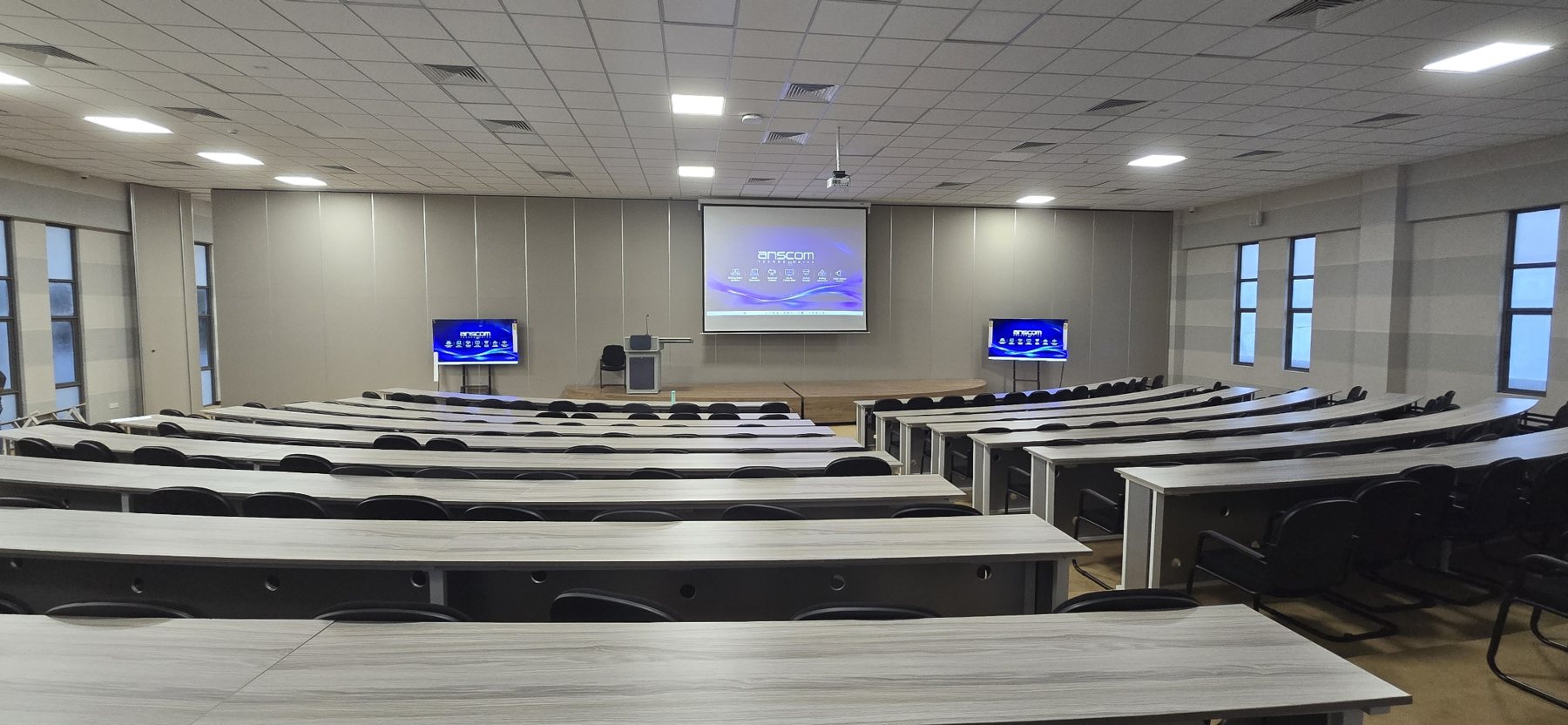
The Faculty of Medicine at Sabaragamuwa University of Sri Lanka now runs one large lecture hall as two independent classrooms or as one combined auditorium, switched with a single touch. The audio-visual system was designed, installed, programmed and commissioned locally, and built so that any lecturer can run it without a technician.
This case study covers what the faculty needed, how the system is built, and how one button merges and divides video, audio and control.
Project at a glance
Item | Detail |
|---|---|
Client | Faculty of Medicine, Sabaragamuwa University of Sri Lanka |
Space | Divisible lecture hall: Room A and Room B, separated by an operable wall |
Scope | Design, supply, installation, programming and commissioning of the full AV system |
Key feature | One-touch Merge and Divide of video, audio and control |
Teaching tools | Smart podium with touch display, gooseneck and wireless microphones, projection screen and two large flanking displays per room |
Control | Central control processor with a custom touch-panel interface |
Integrator | Anscom Limited |
The challenge
The faculty needed one hall that could serve two very different timetables: two parallel classes on some days, a full-batch lecture on others.
Two rooms, one system. Each half had to run on its own, with its own sources, microphones and volume, without hearing or seeing the other.
A full auditorium on demand. When the wall opens, the lecturer at the main podium must be heard and seen across the whole space.
No technician in the room. Medical lecturers move between halls all day. The system had to be operable by anyone in seconds.
Lectures beyond the hall. The faculty wanted lectures streamed and recorded so students can attend remotely or revise later.
The solution
We built one integrated system with a mirrored rack per room, so each half is complete on its own and the two join on command.
Subsystem | What was installed | What it does |
|---|---|---|
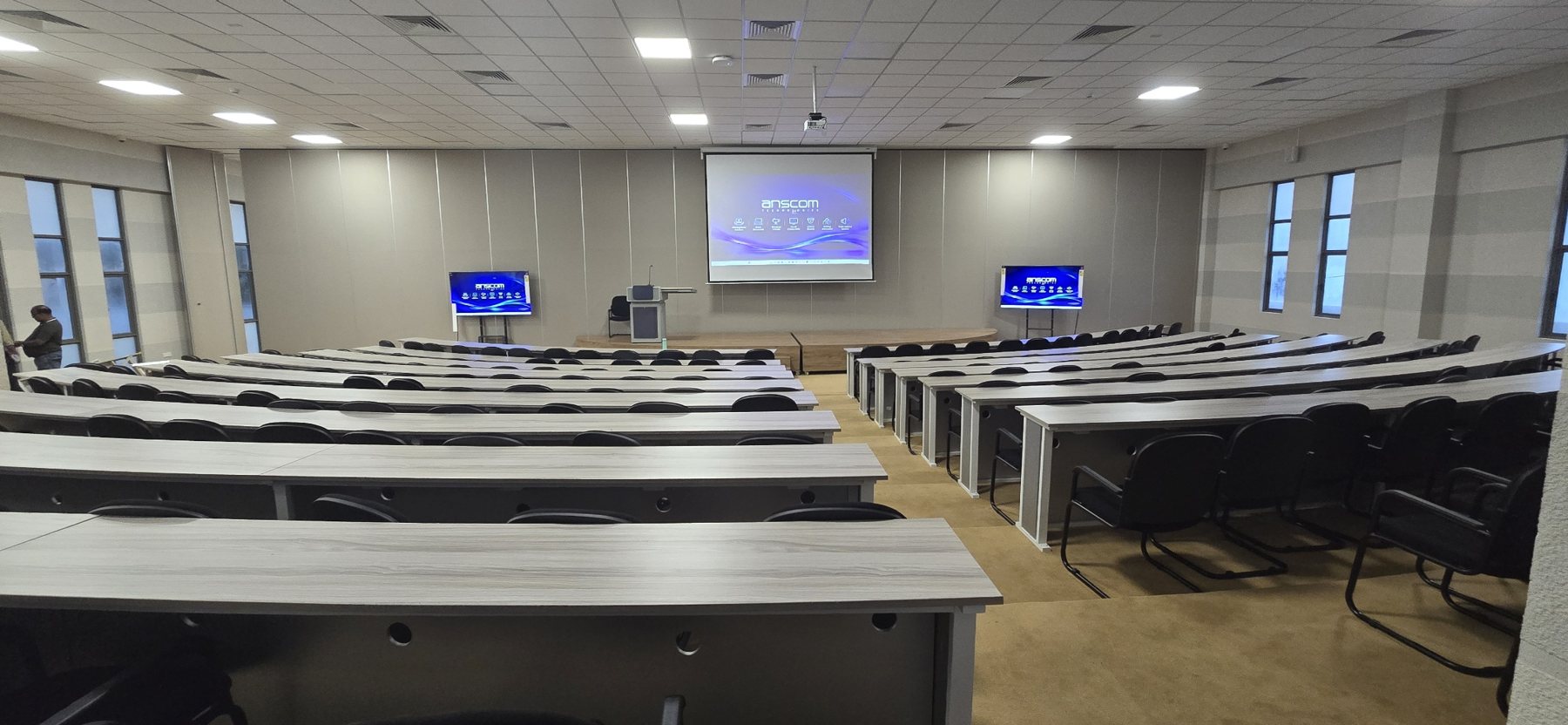
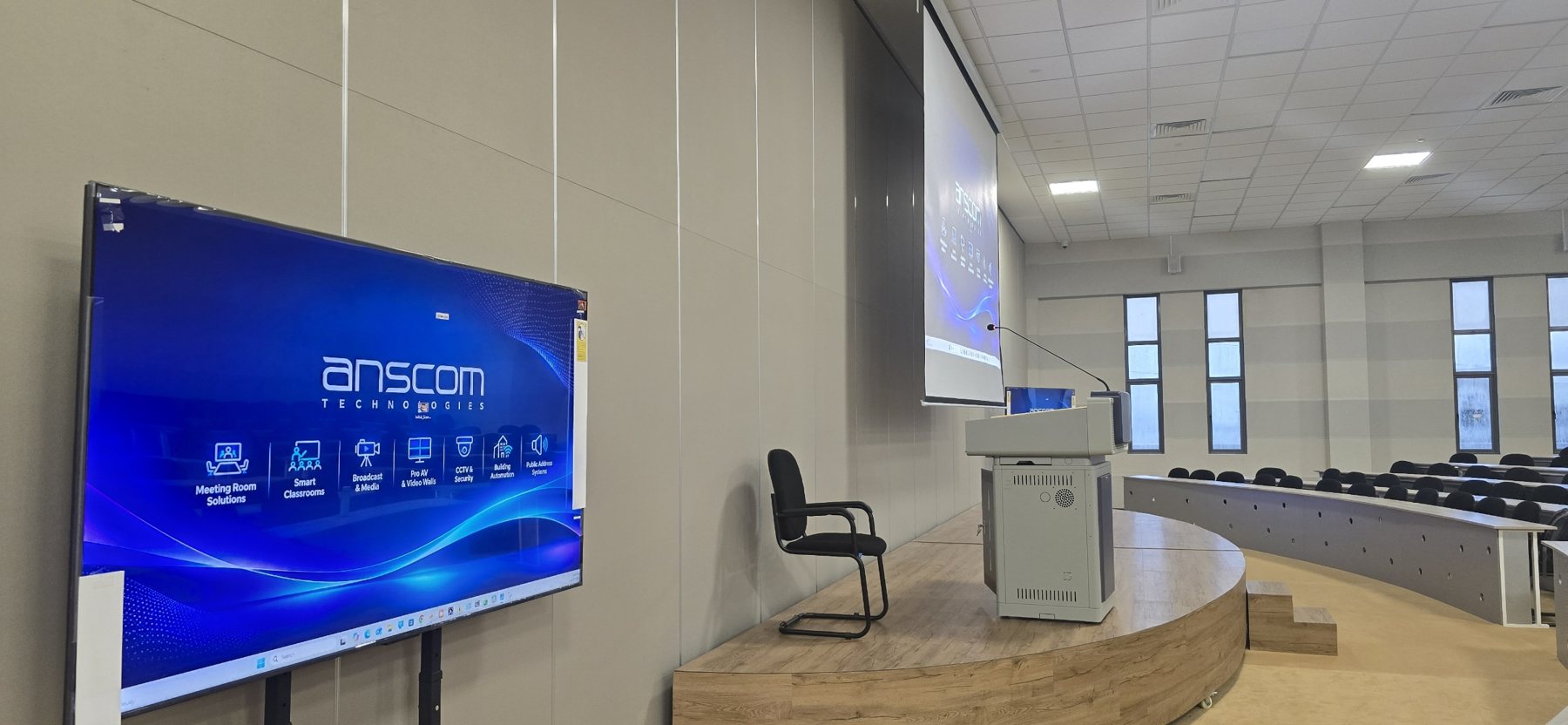
Presentation | Ceiling projector and large screen at centre, two large displays on stands flanking each stage | Every seat sees the content clearly, even on the tiered side rows |
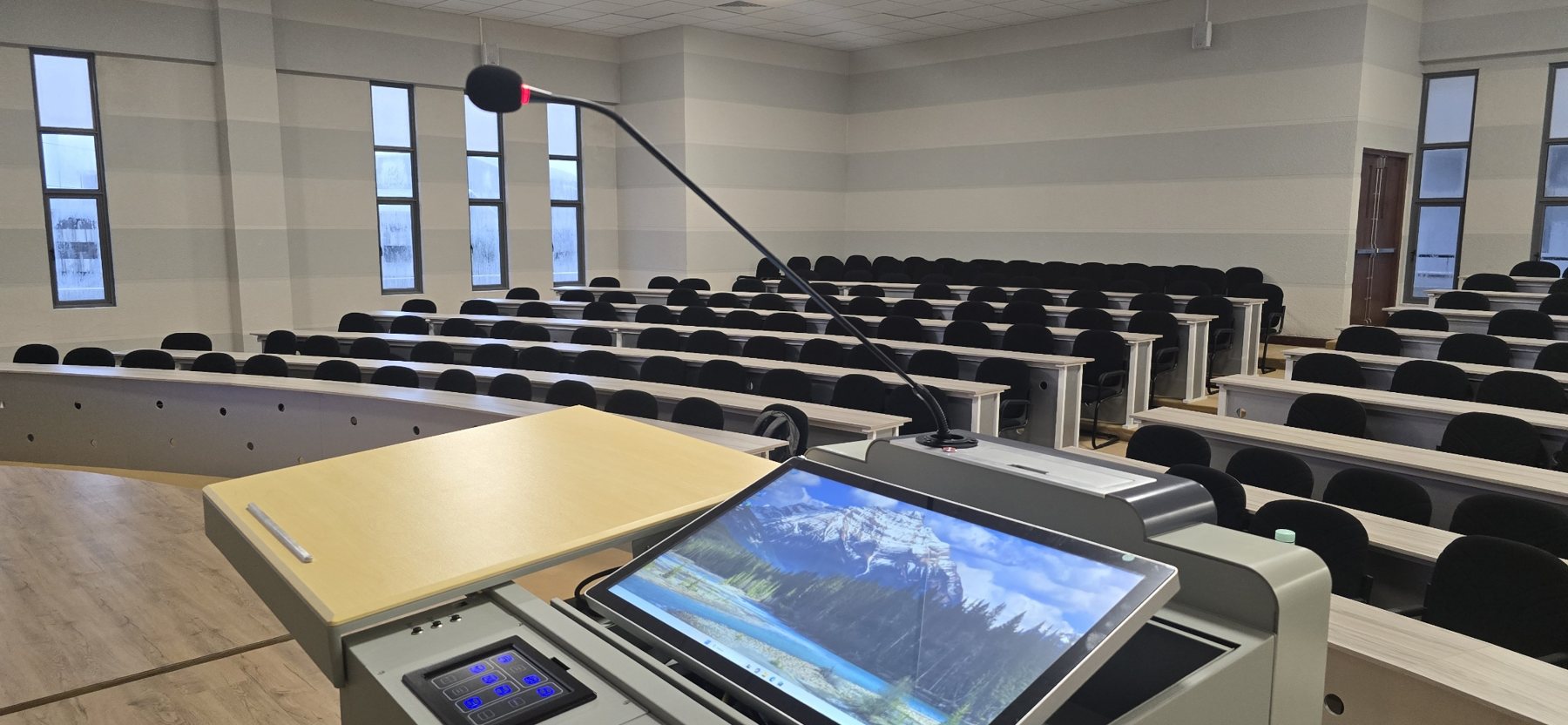
Smart podium | Lectern with built-in touch display, PC, gooseneck microphone and a control keypad | The lecturer teaches, annotates and controls the room from one place |
Video switching | HDMI matrix switcher per room, controlled over the network | Routes any source to the projector and displays, and shares sources across rooms when merged |
Audio | Digital signal processor (DSP) per room, wireless microphones, podium microphone, PC audio, power amplifiers and ceiling speakers | Clear, even speech coverage, with per-channel volume and mute |
Control | Central control processor with RS-232 and network control of every device | One program drives projectors, matrix switchers, DSPs and room modes |
User interface | Custom touch panel designed in-house | Simple buttons for sources, volume, mute and Merge or Divide |
Streaming and capture | Lecture video stream and recording from the hall | Remote attendance and revision |
One-touch Merge and Divide
Opening the wall and pressing Merge turns two rooms into one hall in a single step. Divide returns both rooms to independent operation.
When Merge is pressed, the control processor:
Recalls a combined preset on both DSPs, so the main podium and wireless microphones play through every speaker in the hall.
Routes the main room's selected source to the projector and displays in both rooms through the matrix switchers.
Links the controls, so one panel sets the source, volume and mute for the whole hall.
When Divide is pressed, each DSP recalls its own room preset, each matrix returns to its own sources, and each touch panel controls only its own room.
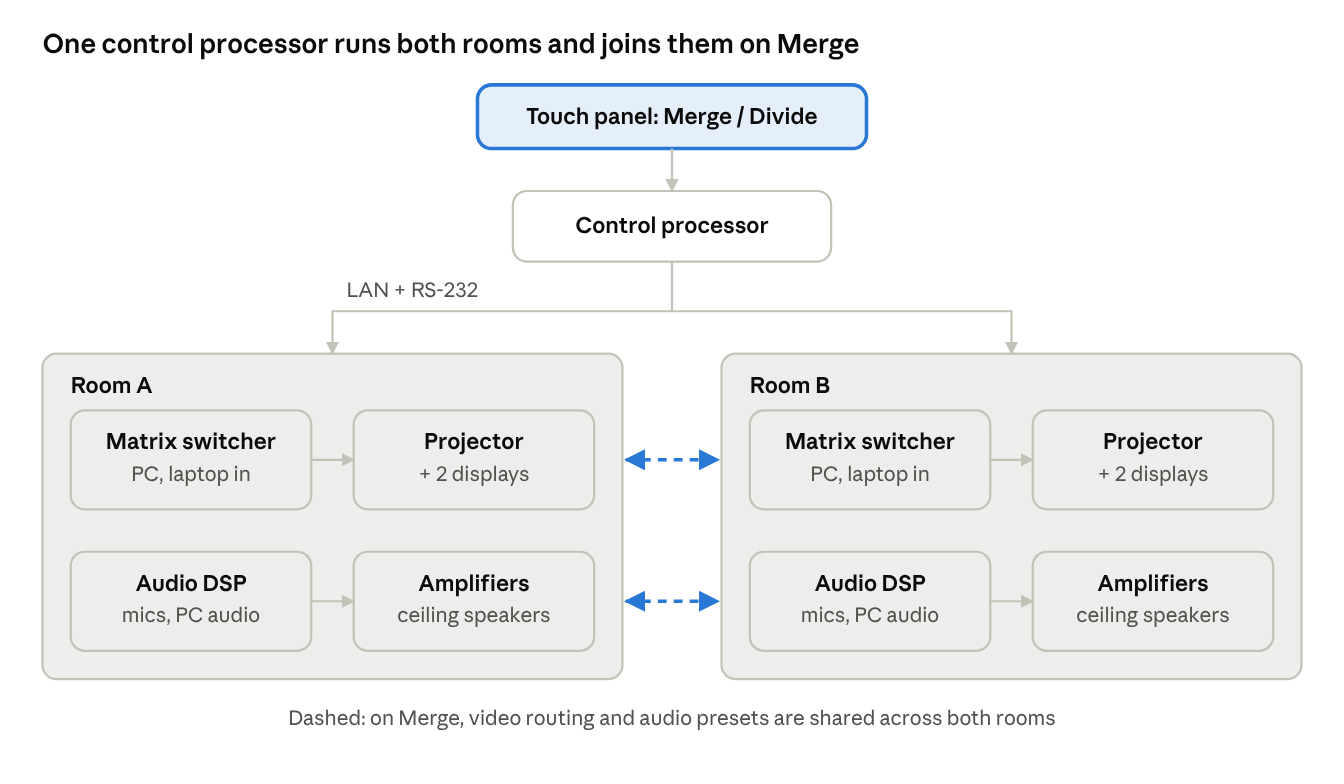
Each room runs on its own matrix switcher and DSP; the control processor links them only when Merge is pressed. The lecturer never touches a DSP, a matrix or a projector menu. Every step runs from the program behind the one button.
A simple interface for lecturers
The touch panel was designed so a lecturer who has never seen it can start teaching straight away.
Few, large buttons. Each screen shows only what is needed: sources, microphones, volume and room mode.
Plain names. Inputs carry teaching names such as Podium PC, Wireless Mic and Laptop, not port numbers.
Live feedback. Mute and mode buttons light up to show the real state of the room.
Safe defaults. System On brings up the projector, displays and podium microphone at a comfortable level.
A typical lecture takes four touches:
Tap System On.
Choose the source, for example Podium PC.
Set microphone and program volume with the up and down buttons.
Tap Merge if the wall is open for a full-batch lecture.
Lecture streaming and capture
Lectures leave the hall as a live stream and a recording, so students can join remotely or revise later.
Content and voice together. The stream carries the podium PC content with the lecturer's microphone audio, taken from the same DSP mix the room hears.
Follows the room mode. In Merge the full-hall lecture is streamed; in Divide each room can run its own session.
No extra operator. Streaming is part of the same control system the lecturer already uses.
Engineering and commissioning
We handled the project end to end, from the first layout to the handover tests.
Design. Sightlines for the tiered, curved seating set the screen and display positions; speaker coverage was planned for both the divided and merged layouts.
Interface specification. We wrote the touch-panel specification first, so the program was built around the way lecturers teach.
Programming. Every device command, from DSP mute and volume to matrix routing and projector power, was mapped to a panel button and checked against the manufacturers' protocols.
On-site tuning. DSP levels, microphone gain and the serial links between the control processor and the DSPs were tuned and verified in the hall.
Testing and handover. Every button was tested in both Divide and Merge modes before the faculty took over the rooms.
Results for the faculty
The faculty now runs two classes or one full-batch lecture from the same space, with no technician needed to switch between them.
More from one space. One hall covers both parallel teaching and whole-batch lectures.
Confident lecturers. Teaching starts with a few touches on a familiar panel.
Every seat covered. Projection, two flanking displays and even speech coverage reach the back rows and the curved side seating.
Learning beyond the room. Streamed and recorded lectures support remote attendance and revision.
Ready to grow. The networked control design lets the faculty add rooms or features later.
Project photos
Planning a lecture hall or smart classroom?
Whether it's one lecture theatre, a hall that divides in two or a whole faculty of smart classrooms, the approach is the same: design around how lecturers actually teach, and make the room simple enough to run without a technician. Talk to me about your project.
More on this kind of work: AV Integration: Video Walls, Auditoriums & Classrooms in Sri Lanka →